Windows 11 25H2 is almost here, but don’t expect major changes. Microsoft has confirmed that it shares the same core code as Windows 11 24H2. The update mainly turns on new features through an enablement package. This makes the new version more of a feature unlock than a full system upgrade.
Windows Insiders received early access to 25H2 last week. According to Jason Leznek, Microsoft’s Principal Project Manager for Windows Servicing, both versions are functionally identical. Only a few new tools and options are activated in 25H2. This should ensure full compatibility with apps, drivers, and hardware that worked on 24H2. Microsoft still recommends testing the new features, but not a full system review.
This approach might frustrate users hoping for Windows 12. Many wanted a fresh start after issues in 24H2, which launched in 2024 with stability problems. Microsoft has acknowledged several bugs on its Release Health Dashboard. Some were serious enough to trigger compatibility holds. These affected both hardware and software, limiting the update’s rollout.
Since 25H2 shares the same code base, nothing fundamental will change. Everything that worked before will still work. Everything that broke before will likely still cause trouble. On the plus side, the learning curve is minimal. On the downside, persistent problems might not go away.
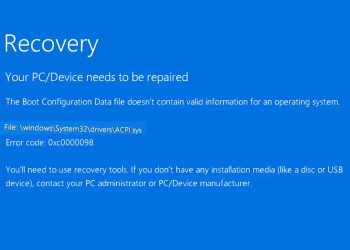
The biggest visual change is the end of the Blue Screen of Death. In response to the 2024 CrowdStrike incident, Microsoft is replacing it with a black “unexpected restart” screen. While the stop code remains, the message will be more recovery-focused. Quick recovery tools will be added for failed restarts. These features aim to reduce downtime and user frustration.
Microsoft is also making deeper changes to Windows security. New tools will allow antivirus and endpoint protection software to run in user mode. This means they won’t access the Windows kernel directly. The move comes after the CrowdStrike update crashed systems globally. That crash exposed the risks of giving third-party tools deep system access. Microsoft plans to release the new security model in private preview starting July.
Many of these changes will arrive on existing 24H2 systems. Microsoft plans to roll them out gradually over the summer. Since the changes come via enablement, users won’t need to install a completely new version. This will reduce friction and make adoption easier. However, those wanting a dramatic refresh will be left waiting.
Microsoft seems focused on stability, not reinvention. By keeping the code base unified, it minimizes disruption for enterprise users and developers. This strategy prioritizes compatibility and consistency over big visual changes. While not exciting, it may be the safest option after the problems seen in 2024.
Overall, Windows 11 25H2 is a quiet but important step forward. It brings recovery improvements, security upgrades, and better internal tools. But it doesn’t try to reinvent the OS. For most users, it will feel familiar—possibly too familiar. However, that might be exactly what Microsoft intends.
READ: Windows EEA Update Lets Users Uninstall Store and Edge