ADVERTISEMENT
Bizmo Arena
No Result
View All Result
  • Review
  • Apple
  • Applications
  • Computers
  • Gaming
  • Gear
    • Audio
    • Camera
    • Smartphone
  • Microsoft
  • Photography
  • Security
  • Advertise With Us
BizmoArena
No Result
View All Result
BizmoArena
No Result
View All Result
ADVERTISEMENT
ADVERTISEMENT

Home » Microsoft Issues Critical Windows 11 Update for Recovery Tools

Microsoft Issues Critical Windows 11 Update for Recovery Tools

Mukisa Peter Benjamin by Mukisa Peter Benjamin
December 9, 2025
Microsoft Issues Critical Windows 11 Update for Recovery Tools
ADVERTISEMENT
Share on FacebookShare on Twitter

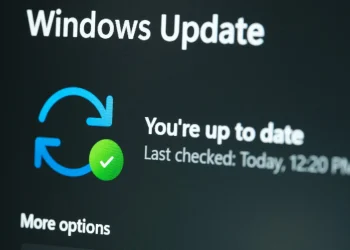
Microsoft has released a new critical Windows 11 update, focusing on a core system component most users never see. This update targets the Windows Recovery Environment (WinRE), which is vital for fixing boot failures. The release arrives as Microsoft aggressively pushes automated upgrades to Windows 11 25H2, marking a shift toward a more controlled, seamless update model.

ADVERTISEMENT

What This Critical Update Fixes

The update is a “dynamic update” that improves behind-the-scenes repair tools. Specifically, it enhances Setup.exe binaries and the Safe OS layer within WinRE. These components manage how Windows installs upgrades and boots into a secure recovery mode when something goes wrong.

By updating these elements, Microsoft aims to:

ADVERTISEMENT
  • Reduce failed installations.
  • Prevent recovery errors.
  • Ensure systems can self-repair after a bad update.

The update is available for Windows 11 24H2, 25H2, and Windows Server 2025. Older versions like 23H2 no longer receive support.

Key Details: Installation and Permanence

This update is distributed automatically via Windows Update. Notably, it does not require a reboot. However, once installed, it cannot be removed or rolled back. This permanence is due to its integration with the recovery environment, which exists outside the normal operating system. After installation, the WinRE version should read 10.0.26100.7297.

The Bigger Picture: Automated Upgrades and Machine Learning

This update is part of a larger strategy. Microsoft is now using machine learning algorithms to automate major upgrades. For many users, Windows Update is silently downloading Windows 11 25H2 in the background. The system then offers a one-click upgrade option if the device is compatible.

This approach aims for predictive maintenance. It uses telemetry to avoid problematic updates. For consumers, this means faster, more convenient upgrades. For businesses, it requires adjusting deployment practices. However, it also raises transparency concerns, as users may not know large upgrade files are downloading automatically.

ADVERTISEMENT

A Move Toward Seamless System Management

The critical Windows 11 update for WinRE underscores Microsoft’s focus on system resilience. By strengthening recovery tools and automating upgrades, the company is pushing toward a future with fewer update failures and less user intervention. While this offers convenience, it also means users and IT administrators must adapt to a less transparent, more automated Windows lifecycle.
Tags: 25H2 upgradeMicrosoft critical patchSafe OSWindows 11 updateWindows RecoveryWinRE
ADVERTISEMENT
Mukisa Peter Benjamin

Mukisa Peter Benjamin

RelatedPosts

Windows 11 25H2 Brings Changes Without a Full Overhaul
Windows

Windows 11 25H2 Brings Changes Without a Full Overhaul

July 1, 2025
HP Snapdragon laptops
AI

HP’s Affordable Snapdragon Laptops Bring AI to the Masses

May 19, 2025
Windows 10 KB5058379 Update Causing BSOD, BitLocker Prompts
Windows

Windows 10 KB5058379 Update Causing BSOD, BitLocker Prompts

May 17, 2025
Windows Server 2025 Gets Hotpatching Support in July
Information Centre

Windows Server 2025 Gets Hotpatching Support in July

April 30, 2025
Next Post
Infinix Note 60 Ultra Pininfarina

Infinix Note 60 Ultra to Feature Pininfarina Design in 2025

Amazon Best Seller

ADVERTISEMENT

Recommended.

Mpesa Paybill Transaction Charges 2025

Mpesa Paybill Transaction Charges 2025

December 27, 2024
How to Clean Keyboard, Earbuds & Screen Grime

How to Clean Keyboard, Earbuds & Screen Grime

July 18, 2025

Trending.

Infinix Hot 60 Pro+ Named World’s Thinnest Curved Display Phone

Infinix Hot 60 Pro+ Named World’s Thinnest Curved Display Phone

August 30, 2025
WhatsApp third-party chat

WhatsApp to Launch Third-Party Chat Integration Across Europe

November 14, 2025
Honor CEO George Zhao

Honor CEO shows upcoming Magic7 Pro

October 17, 2024
Apple iPhone 16 Plus

Apple iPhone 16 Plus: A Comprehensive Review

October 2, 2024
Google’s Surprising New Partner for AI Chip Development

Google’s Surprising New Partner for AI Chip Development

March 18, 2025
ADVERTISEMENT
  • About Us
  • Privacy
  • Contact
  • Terms
  • Advertise

BizmoArena is part of the Bizmart Holdings publishing family. © 2025 Bizmart Holdings LLC. All rights reserved.

No Result
View All Result
  • Review
  • Apple
  • Applications
  • Computers
  • Gaming
  • Gear
    • Audio
    • Camera
    • Smartphone
  • Microsoft
  • Photography
  • Security
  • Advertise With Us

BizmoArena is part of the Bizmart Holdings publishing family. © 2025 Bizmart Holdings LLC. All rights reserved.